Chercher
GeoGebra
  • Accueil
  • Ressources
  • Profil
  • Classroom
  • Téléchargements d'applications

How to use AR on your phone
Auteur :Eva 3D
Image
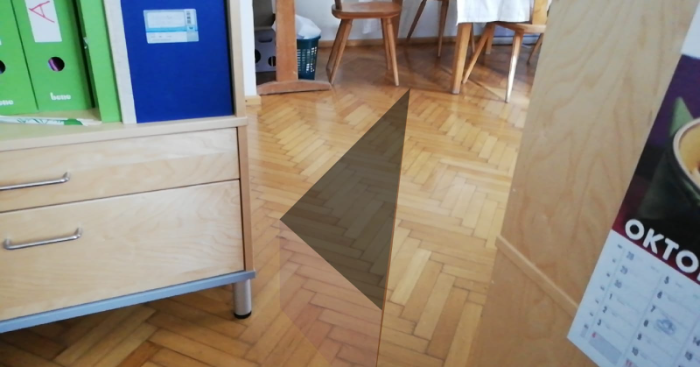
Download the GeoGebra Augmented Reality App to your smartphone. You find instructions on how to do that here: https://www.geogebra.org/m/jhcywuqw Open the app and search for a small round button above the blue part of the app that says AR - select that round button! Check out the floor slowly, tap on your phone in case the app tells you that a floor was detected. You can zoom using your fingers on the screen of your phone!

Nouvelles ressources

  • Writing and Graphing Proportional Relationships (k>0)
  • Angle Addition Postulate (V2) - Integer Solutions
  • Right Triangle Inscribed in a Semicircle
  • Deciding How New Information Affects Probability
  • Graphing Basic and Compound Inequalities

Découvrir des ressources

  • The unit circle and the graphs of sin, cos & tan
  • Logarithmic Functions (Graph & Equation Anatomy)
  • Ratio of area and Ratio of Volume videos
  • Jajaja
  • Rotations Exploration

Découvrir des Thèmes

  • Nombres
  • Droite Sécante ou Sécante
  • Division
  • Moyenne Géométrique
  • Triangles Rectangles
À proposPartenairesCentre d'aide
Termes du ServicePrivéLicence
Calculatrice GraphiqueCalculatrice SuiteRessources de la Communauté

Téléchargez nos applications ici:

Download_on_the_App_Store_Badge_US-UK_RGB_blk_4SVG_092917

© 2026 GeoGebra®